Graphics
graphics (feature graphics) draws pictures in a text UI: ANSI-art
backgrounds (AnsiBackground, parsed by the ansi module) and bitmap
images over the Kitty graphics protocol (KittyImage, with the protocol
helpers in the kitty module).
Kitty images
KittyImage transmits PNG bytes to the terminal and displays them over the
view's bounds, using the Kitty graphics protocol (supported by Kitty,
WezTerm, Ghostty). On a terminal without support — or before the image is
reached — the view falls back to filling its bounds with a background
colour.
use turbo_vision::core::geometry::Rect;
use tv_extensions::graphics::KittyImage;

let image = KittyImage::from_file(Rect::new(5, 2, 45, 22), "logo.png")?;
# Ok::<(), std::io::Error>(())
KittyImageBuilder offers the same construction as a fluent builder, plus
columns/rows (span overrides) and z_index (negative places the image
behind text and windows — see examples/kitty_background.rs, which uses it
for a desktop background windows are dragged over).
The kitty module's free functions are ported from
Terminal::supports_kitty_graphics, Terminal::delete_kitty_image and
Terminal::clear_kitty_images in turbo-vision core:
supports_kitty_graphics() is a heuristic check of the TERM,
TERM_PROGRAM and KITTY_WINDOW_ID environment variables;
delete_kitty_image(terminal, id) and clear_kitty_images(terminal) remove
transmitted images by writing the protocol's delete sequences with
Terminal::write_raw.
See examples/kitty_image.rs, examples/kitty_background.rs and
examples/kitty_biorhythm.rs.
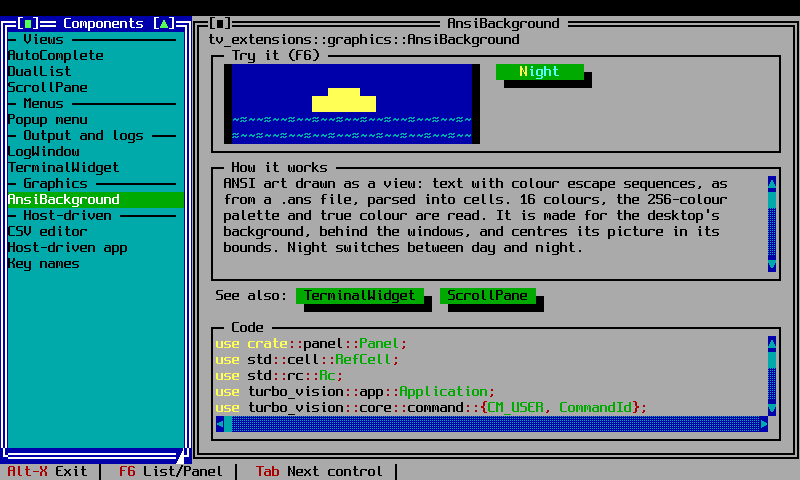
ANSI-art backgrounds
AnsiBackground parses 16-colour, 256-colour and true-colour ANSI escape
sequences (AnsiImage/AnsiParser) into cells and draws them, centered by
default, over its bounds.
use turbo_vision::core::geometry::Rect;
use turbo_vision::core::palette::{Attr, TvColor};
use tv_extensions::graphics::AnsiBackground;

let bg = AnsiBackground::from_file(
    Rect::new(0, 0, 80, 24),
    "logo.ans",
    Attr::new(TvColor::LightGray, TvColor::DarkGray),
)?;
# Ok::<(), std::io::Error>(())
from_string parses from an in-memory string instead of a file;
center_x/center_y/centered control whether the image is centered on
each axis (on by default) or pinned to the top-left corner.
AnsiBackgroundBuilder offers the same construction as a fluent builder.
See examples/desktop_logo.rs, which loads examples/logo.txt as an ANSI
background and falls back to a plain ASCII-art logo when the file is
missing.